Tugboat Stabilizer
A downloadable mod
Tugboat Stabilizer
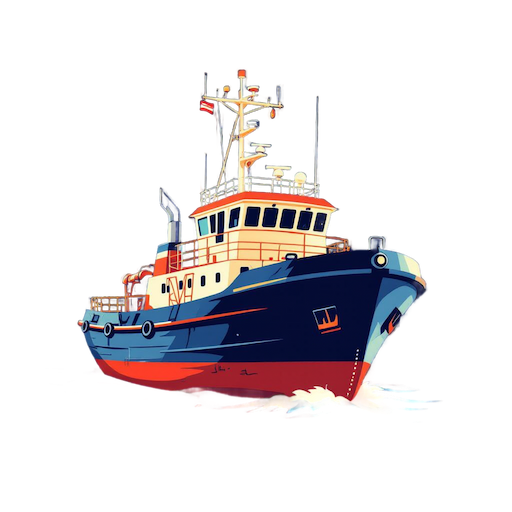
Temporarily freeze your tugboat level — place chests, shelves, and gear without fighting the waves.
Stop the Rock. Start Building.
One command locks your tugboat perfectly level. Place items without angle errors —
and fix the NOT STABLE ENOUGH
error that blocks Wood Boxes on Salvaged Shelves.
Features
|
🚢
Hull LockFreezes the tugboat's physics and sets it perfectly level. Position and rotation are held steady for as long as you need. |
⏱️
Auto-ReleasePhysics automatically resumes after a configurable duration (default: 15 minutes), so you never accidentally leave the boat frozen. |
|
🔁
Toggle Command
Run |
🔒
Ownership CheckOnly players with Vehicle Privilege on the tugboat can stabilize or release it. Unauthorized players are blocked from the command. |
|
📦
Fixes Shelf Placement
Resolves the |
⚙️
ConfigurableCustomize the chat command name and stabilization duration to suit your server's workflow. |
How It Works
| → Look at the tugboat you want to stabilize (within 5 meters). |
→
Run /stabilize
— the plugin checks your Vehicle Privilege and freezes the hull level.
|
| → Place chests, shelves, or any items without fighting wave movement or stability errors. |
→
Run /stabilize
again to manually unlock, or wait for the timer to expire.
|
| → Physics resumes and the tugboat returns to normal wave behavior. |
Commands
| Command | Description |
|---|---|
/stabilize
|
Toggle stabilization on/off for the tugboat in your line of sight. |
/stabilize toggle
|
Explicitly toggle stabilization on/off. |
/stabilize help
|
Show available subcommands and usage. |
Configuration
A configuration file is automatically generated at
oxide/config/TugboatStabilizer.json
on first load.
{
  "Chat command name": "stabilize",
  "Stabilize duration (seconds)": 900
}
| Option | Default | Description |
|---|---|---|
Chat command name
|
"stabilize"
|
The chat command players use to trigger stabilization. Change it to avoid conflicts with other plugins. |
Stabilize duration (seconds)
|
900
|
How long (in seconds) the tugboat stays frozen before physics automatically resumes. Default is 15 minutes. |
Installation
|
1
Copy the plugin file Place TugboatStabilizer.cs
into your server's oxide/plugins/
directory.
|
|
2
Start or restart your server The config file will be generated automatically at oxide/config/TugboatStabilizer.json.
|
|
3
Grant permission Give players the tugboatstabilizer.use
permission so they can use the command.
|
|
4
Reload the plugin Run oxide.reload TugboatStabilizer
in the server console to apply any config changes.
|
Permission
Required to use the /stabilize
command. Players without this permission cannot lock or unlock the tugboat.
Grant Permission
oxide.grant user <SteamID> tugboatstabilizer.use
Revoke Permission
oxide.revoke user <SteamID> tugboatstabilizer.use
Important Notes
You must be looking directly at the tugboat (within 5 meters) when running the command. The plugin targets the boat in your crosshair, not the one you are standing on.
While the tugboat is stabilized, its physics are frozen and it cannot be driven normally. Unlock it first before attempting to move.
If a player forgets to manually unlock, the stabilization will automatically release after the configured duration. The default 15-minute window is enough for most build sessions.
Tugboat Stabilizer — An Oxide plugin for Rust dedicated servers.
Made by little method
Download
Click download now to get access to the following files:
Leave a comment
Log in with itch.io to leave a comment.