Minicopter Upgrades
A downloadable mod
Minicopter Upgrades
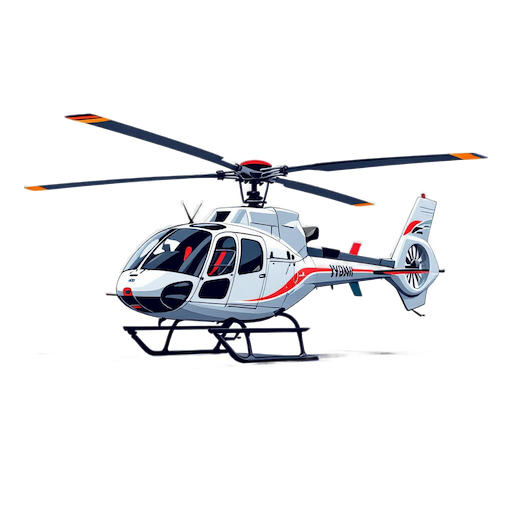
Attach a storage box, searchlight, or sign to any Minicopter — spawn one pre-equipped or upgrade an existing bird mid-game.
Customize Your Minicopter
Give your Minicopter a storage stash, a night-flight searchlight, or a custom sign. Spawn one fully rigged or upgrade an existing craft with the items you already carry.
Features
|
📦
Storage (Small Stash)Attach a Small Stash to carry items while flying. Respects code lock access when a locked code lock is on the copter. Contents drop to the ground if the copter is destroyed — nothing is lost. |
🔦
Search LightMount a searchlight that automatically turns on when the engine starts and off when it stops. No manual toggling needed. Scale and position are fully adjustable in config. |
|
📝
Small Wooden SignAttach a blank sign for custom artwork or labelling. Only undrawn sign items can be equipped; existing artwork is not carried over. |
⚙️
Spawn or Upgrade
Use |
|
🔓
Code Lock IntegrationWhen a locked code lock is attached to the Minicopter (e.g. via Lockable Deployables), only players who have unlocked it can open the attached storage. |
🌐
MultilingualAll player-facing messages support English and Japanese out of the box. Oxide's built-in language system is used, so adding more locales is straightforward. |
How It Works
→
A player with the appropriate permission runs a chat command, optionally specifying which equipment to attach (light / storage / sign). Omitting tokens applies all equipment.
|
| → spawn — A Minicopter is created at the player's aim point (raycasted against terrain), already fitted with the chosen equipment. No items consumed. |
| → upgrade — The nearest Minicopter within 5 metres is found. For each requested equipment the player is not yet carrying, the matching item is consumed from their inventory and attached. |
| → The Search Light activates automatically when the Minicopter engine starts and deactivates when the engine stops. |
| → If the Minicopter is destroyed, any items inside the Storage stash drop to the ground — identical to vanilla stash behavior. |
Commands
The top-level command name defaults to
minicopter
and can be changed in the config file.
| Command | Description |
|---|---|
/minicopter help |
Show available subcommands and usage. Running /minicopter with no arguments has the same effect. |
/minicopter spawn [light] [storage] [sign] |
Spawn a Minicopter at your aim point, pre-fitted with the specified equipment. No items required. |
/minicopter upgrade [light] [storage] [sign] |
Attach equipment to the nearest Minicopter within 5 m, consuming one matching item per attachment. |
Configuration
Generated automatically at
oxide/config/MinicopterUpgrades.json
on first load.
{
  "General settings": {
    "Chat command name (1-32 alphanumeric; default: minicopter)": "minicopter"
  },
  "Search Light settings": {
    "Position offset X (meters; range: -5.0 - 5.0)": 0.0,
    "Position offset Y (meters; range: -5.0 - 5.0)": 0.28,
    "Position offset Z (meters; range: -5.0 - 5.0)": 2.05,
    "Scale (range: 0.01 - 1.0; default: 1.0)": 0.1,
    "Rotation X (degrees)": -155.0,
    "Rotation Y (degrees)": 0.0,
    "Rotation Z (degrees)": 180.0
  },
  "Storage settings": {
    "Position offset X (meters; range: -5.0 - 5.0)": 0.15,
    "Position offset Y (meters; range: -5.0 - 5.0)": 0.5,
    "Position offset Z (meters; range: -5.0 - 5.0)": -0.4,
    "Rotation X (degrees)": 90.0,
    "Rotation Y (degrees)": 0.0,
    "Rotation Z (degrees)": 270.0
  },
  "Small Wooden Sign settings": {
    "Position offset X (meters; range: -5.0 - 5.0)": 0.0,
    "Position offset Y (meters; range: -5.0 - 5.0)": 0.1,
    "Position offset Z (meters; range: -5.0 - 5.0)": -0.8,
    "Rotation X (degrees)": 0.0,
    "Rotation Y (degrees)": 180.0,
    "Rotation Z (degrees)": 0.0
  }
}
| Option | Description |
|---|---|
Chat command name |
Top-level chat command (default: minicopter). 1–32 alphanumeric characters. Requires plugin reload to take effect. |
Position offset X / Y / Z |
Relative attachment position in metres for each equipment piece (−5.0 to 5.0 per axis). |
Scale (Search Light) |
Shrink ratio for the searchlight (0.01–1.0). Requires the optional EntityScaleManager plugin. Without it, the light is attached at full size and this setting is ignored. |
Rotation X / Y / Z |
Relative rotation in degrees for each equipment piece. |
Installation
|
1
Copy the plugin file Place MinicopterUpgrades.cs
into your server's oxide/plugins/
directory.
|
|
2
Start or restart your server The config file is generated automatically at oxide/config/MinicopterUpgrades.json.
|
|
3
Edit the configuration Adjust attachment positions and the command name to suit your server. |
|
4
Reload the plugin Run oxide.reload MinicopterUpgrades
in the server console to apply config changes.
|
|
5
Grant permissions Assign at least one permission to the players or groups who should have access (see below). |
The Search Light Scale setting requires the external EntityScaleManager plugin. Without it, the searchlight is attached at full size and the scale value is ignored. All other features work without it.
Permissions
Players with no permission cannot run any command, including help.
Grant at least one of the following:
| Permission | Description |
|---|---|
|
minicopterupgrades.admin
|
Access to all commands regardless of other permissions. |
|
minicopterupgrades.spawn
|
Allows spawning a pre-equipped Minicopter with the spawn subcommand. |
|
minicopterupgrades.upgrade
|
Allows upgrading an existing Minicopter with the upgrade subcommand. |
Grant Permission
oxide.grant user <SteamID> minicopterupgrades.admin
oxide.grant user <SteamID> minicopterupgrades.spawn
oxide.grant group <groupname> minicopterupgrades.upgrade
Revoke Permission
oxide.revoke user <SteamID> minicopterupgrades.admin
Important Notes
The upgrade command
removes one matching item from the player's inventory per attachment.
spawn never consumes items.
Only undrawn Small Wooden Sign items can be attached. Sign items that already have artwork drawn on them are rejected. Drawing content is not carried over — the attached sign is always blank at placement.
This plugin does not add code-lock attachment functionality. To lock a Minicopter you need a plugin such as Lockable Deployables. Once a lock is present and locked, the storage access restriction activates automatically.
Setting Scale
below 1.0 requires the EntityScaleManager plugin.
Without it the searchlight is attached at full (vanilla) size and a one-time console warning is printed.
Minicopter Upgrades — An Oxide plugin for Rust dedicated servers.
Made by little method
Download
Click download now to get access to the following files:
Leave a comment
Log in with itch.io to leave a comment.