Cassette Duplicator
A downloadable game
Cassette Duplicator
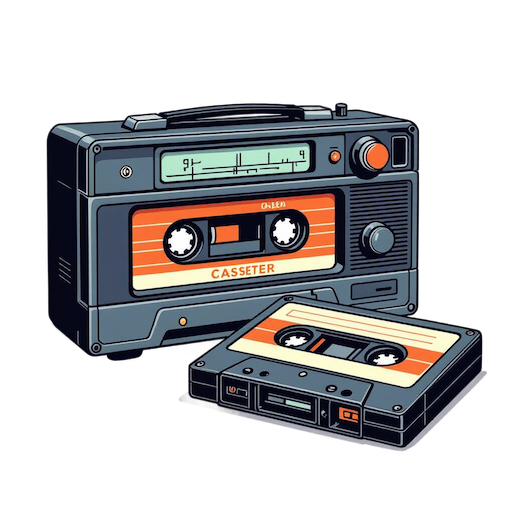
Copy, paste, and back up cassette recordings with a cassette recorder. Let your players duplicate their favorite tracks and restore saved audio on demand.
Duplicate and Preserve Your Recordings
Make exact copies of recorded cassettes, or save audio to the server and restore it later. A simple chat command is all it takes — with permissions to keep it under control.
Features
|
📋
Copy & Paste CassettesCopy a recorded cassette and paste its audio onto a blank one. Duplicate your favorite tracks in seconds. |
💾
Save & Restore AudioSave cassette audio to the server and restore it later onto a blank cassette. Keep recordings safe across sessions. |
|
🔐
Permission-BasedSeparate permissions for duplicating and restoring. Grant only what each player should be able to do. |
👑
Ownership AwareBy default players can only copy or restore their own recordings. Admins can work with cassettes created by anyone. |
|
💬
Simple Chat CommandsEverything works through a single chat command with clear subcommands. No menus, no extra tools required. |
⚙️
Configurable CommandRename the top-level chat command to whatever fits your server. Localized messages in English and Japanese are included. |
How It Works
| → A player holds a cassette recorder with a recorded cassette inserted. |
| → They run the copy command to capture the cassette's audio, or the save command to write it to the server. |
| → They insert a blank cassette into the recorder. |
| → The paste command writes the copied audio onto the blank cassette, or restore loads it from a saved file. |
| → Permission and ownership checks run first, so players only act on cassettes they are allowed to. |
Configuration
A configuration file is automatically generated at
oxide/config/CassetteDuplicator.json
on first load.
{
  "Command name": "cassette"
}
| Option | Default | Description |
|---|---|---|
Command name
|
cassette
|
The top-level chat command name used to access all subcommands. |
Chat Commands
The default top-level command is /cassette
(configurable via Command name).
| Command | Description |
|---|---|
/cassette help
|
Show the list of available subcommands. |
/cassette copy
|
Copy the recorded cassette held in the recorder. |
/cassette paste
|
Paste the copied cassette onto a blank cassette in the recorder. |
/cassette save
|
Save the held cassette's audio to the server. |
/cassette restore <file name>
|
Restore saved audio data onto a blank cassette in the recorder. |
Usage
Duplicate a Cassette
|
1
Hold the recorder Hold a cassette recorder with the recorded cassette you want to duplicate inserted. |
|
2
Copy it Run /cassette copy
to capture the audio.
|
|
3
Paste onto a blank cassette Insert a blank cassette and run /cassette paste.
|
Save & Restore
|
1
Save the audio With the recorded cassette held, run /cassette save.
The server reports the saved file name.
|
|
2
Restore it later Insert a blank cassette and run /cassette restore <file name>
with the saved file name.
|
Installation
|
1
Copy the plugin file Place CassetteDuplicator.cs
into your server's oxide/plugins/
directory.
|
|
2
Start or restart your server The config file will be generated automatically at oxide/config/CassetteDuplicator.json.
|
|
3
Grant permissions Give players the duplicate and/or restore permission so they can use the features. |
|
4
Reload if you change the config After editing the command name, run oxide.reload CassetteDuplicator
to apply it.
|
Permissions
Allows use of the copy and paste functions to duplicate cassettes.
Allows use of the save and restore functions to back up and recover cassette audio.
Grants all functions and allows working with cassettes created by other players.
Grant Permissions
oxide.grant user <SteamID> cassetteduplicator.duplicate
oxide.grant user <SteamID> cassetteduplicator.restore
oxide.grant user <SteamID> cassetteduplicator.admin
Revoke Permissions
oxide.revoke user <SteamID> cassetteduplicator.duplicate
oxide.revoke user <SteamID> cassetteduplicator.restore
oxide.revoke user <SteamID> cassetteduplicator.admin
Important Notes
Without admin permission, players can only copy, save, or restore cassettes they created themselves. The admin permission lifts this restriction so staff can manage any cassette.
Saved audio files are written to the server's temporary cache folder and named
<SteamID>_<AudioID>.ogg.
Because this is a temporary directory, files may be cleared by the operating system, so do not rely on
it for long-term storage.
Paste and restore only work onto an empty cassette. Copy and save require a cassette that already has a recording on it.
Cassette Duplicator — An Oxide plugin for Rust dedicated servers.
Made by little method
Download
Click download now to get access to the following files:
Leave a comment
Log in with itch.io to leave a comment.