Airdrop Speed Control
A downloadable mod
Airdrop Speed Control
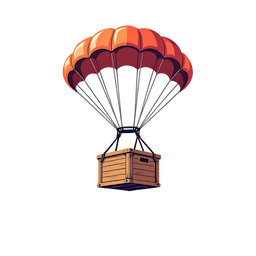
Take full control of airdrop behavior on your Rust server. Adjust airplane flight speed and supply drop fall speed — only for player-called airdrops.
Fine-Tune Every Airdrop
Speed up the cargo plane for fast deliveries, or slow down the supply crate's descent so your players can track it across the sky. Your server, your rules.
Features
|
✈️
Airplane Speed ControlAdjust the cargo plane's flight duration with a simple multiplier. Make it blaze across the map or cruise at a leisurely pace. |
📦
Container Fall SpeedControl how fast the supply crate falls by tuning its air resistance. Create dramatic slow descents or rapid drops. |
|
🎯
Supply Signal OnlyOnly affects airdrops triggered by players throwing a Supply Signal. Timed events and console commands remain completely untouched. |
🔐
Permission-BasedUses Oxide's permission system. Only players with the granted permission will trigger modified airdrops. |
|
⚙️
Fully ConfigurableEach feature can be independently enabled or disabled. All values are validated on load to prevent misconfiguration. |
🛡️
Zero Side Effects
Automatic server events, |
How It Works
| → A player with the required permission throws a Supply Signal. |
| → The plugin detects the signal and begins tracking the spawned cargo plane. |
| → If airplane speed control is enabled, the plane's flight duration is adjusted by the configured multiplier. |
| → When the tracked plane drops a supply crate, the plugin applies the configured air resistance value to control fall speed. |
| → Airdrops from timed events or console commands are completely ignored — no tracking, no changes. |
Configuration
A configuration file is automatically generated at
oxide/config/AirdropSpeedControl.json
on first load.
{
  "EnableAirplaneSpeedControl": false,
  "EnableContainerFallControl": false,
  "AirplaneSpeedMultiplier": 1.0,
  "ContainerFallDrag": 3.0
}
| Option | Default | Description |
|---|---|---|
EnableAirplaneSpeedControl
|
false
|
Enable or disable airplane flight speed adjustment. |
EnableContainerFallControl
|
false
|
Enable or disable supply crate fall speed adjustment. |
AirplaneSpeedMultiplier
|
1.0
|
Multiplier for the plane's flight duration. Lower = faster, higher = slower. |
ContainerFallDrag
|
3.0
|
Air resistance applied to the falling crate. Lower = faster fall, higher = slower fall. |
Speed Multiplier Examples
| Value | Effect |
|---|---|
0.5
|
Plane flies at 2× speed (half the flight time) |
1.0
|
Default speed (no change) |
2.0
|
Plane flies at half speed (double the flight time) |
Installation
|
1
Copy the plugin file Place AirdropSpeedControl.cs
into your server's oxide/plugins/
directory.
|
|
2
Start or restart your server The config file will be generated automatically at oxide/config/AirdropSpeedControl.json.
|
|
3
Edit the configuration Open the config file and adjust the values to your liking. Enable the features you want. |
|
4
Reload the plugin Run oxide.reload AirdropSpeedControl
in the server console to apply changes.
|
Permission
Only Supply Signals thrown by players with this permission will trigger modified airdrops. Players without this permission will see default airdrop behavior.
Grant Permission
oxide.grant user <SteamID> airdropspeedcontrol.use
Revoke Permission
oxide.revoke user <SteamID> airdropspeedcontrol.use
Important Notes
This plugin only modifies airdrops triggered by a player's Supply Signal.
Timed automatic airdrops, supply.call,
and supply.drop
console commands are never affected.
Setting ContainerFallDrag
to a very low value (e.g. below 0.5) can cause
the supply crate to fall so fast that it clips through the terrain and becomes
unreachable underground. Use moderate values and test before deploying to a live server.
Airdrop Speed Control — An Oxide plugin for Rust dedicated servers.
Made by little method
Download
Click download now to get access to the following files:
Leave a comment
Log in with itch.io to leave a comment.